A powerful online portfolio for any business is your digital handshake, your visual presentation, and your 24/7 sales goals For freelancers, creatives, and job seekers across the United Kingdom, it’s an essential group of websites or platforms for showcasing skills, winning clients, and landing that next big role. But you don’t need a significant budget or advanced coding knowledge to build a professional presence. The market is filled with excellent free portfolio sites that empower you to create a stunning showcase without spending a penny.
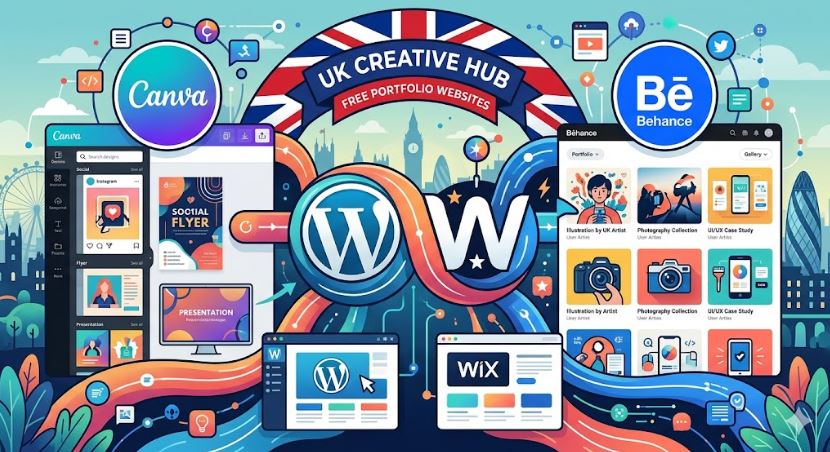
- Canva: Drag-and-drop editor, 3M+ free stock photos, AI content generation, instant publishing
- Wix: 100+ templates, AI portfolio generator, built-in SEO tools, free hosting
- Portfollowbox: Creative templates, browser-based builder, no coding required best for Artists, photographers
- Behance: Adobe ecosystem integration, global creative community, easy sharing ideal for Designers & illustrators
- WordPress:Free themes, blogging tools, plugins for portfolios
This guide will walk you through the top free portfolio platforms available to UK users. We’ll dive deep into the features, strengths, and limitations of each option, helping you understand which one aligns best with your career goals. Whether you’re a photographer in Manchester, a writer in Cardiff, or a freelance developer in London, the right platform is waiting for you.
Why a Free Portfolio Site is a Smart Move
Before we compare platforms, let’s establish why a free portfolio site is such a valuable asset. For many, the word “free” can imply a compromise on quality, but that’s far from the truth in this context.
- Zero Financial Risk: You can experiment, build, and launch your portfolio without any initial investment. This is ideal for students, new graduates, or professionals testing the waters of freelancing.
- Speed and Simplicity: Modern portfolio builders are designed for ease of use. With intuitive drag-and-drop editors and pre-made templates, you can go from sign-up to a live portfolio in just a few hours.
- Professional Templates: You don’t need to be a designer to create something beautiful. These platforms offer a wide array of professionally designed templates that you can customize to match your personal brand.
- A Test Drive for Future Growth: A free plan allows you to get comfortable with a platform’s ecosystem. If your career or business grows, you’ll know exactly what to expect from a paid upgrade, which often includes a custom domain (like
yourname.co.uk), more storage, and advanced features.
Now, let’s explore the leading contenders and help you find your perfect match.
Wix: The Professional’s Choice for Visibility
Wix has cemented its reputation as a powerhouse in the website-building world, and for good reason. It offers a robust and flexible solution that caters exceptionally well to UK freelancers and small businesses who prioritize search engine visibility and customization.
Key Features for UK Users
- Advanced SEO Tools: Wix provides a comprehensive suite of SEO tools, known as Wix SEO Wiz. It creates a personalized checklist to help you get found on search engines like Google. This is a significant advantage for freelancers targeting local clients, as you can optimize for terms like “graphic designer in Bristol” or “wedding photographer near me.”
- Extensive Template Library: With over 100 templates specifically for portfolios, you have a vast selection of starting points. These are categorized by industry, from photography and design to music and writing, ensuring a relevant and professional look.
- AI Portfolio Generator: If you’re short on time, the Wix ADI (Artificial Design Intelligence) can build a portfolio for you. By answering a few questions about your style and needs, it generates a unique site complete with text and images, which you can then fine-tune.
- Free Hosting: Your site is securely hosted on Wix’s servers, saving you the cost and technical hassle of arranging your own hosting.
The Trade-Offs
The primary limitation of the free Wix plan is the branding. Your site will display a prominent Wix ad, and your domain will be in the format username.wixsite.com/sitename. While functional, this can appear less professional to some clients. The free plan also comes with limited storage (500MB) and bandwidth, which might be a constraint for those with large, high-resolution visual files.
Who Should Use Wix?
Wix is the ideal platform for freelancers, consultants, and small business owners who want to attract clients through online searches. If your goal is to build a standalone professional brand and you see your portfolio as a primary tool for lead generation, Wix provides the strongest foundation among free options. Its powerful SEO capabilities make it a strategic choice for long-term growth in the UK market.
Canva: The Champion of Speed and Simplicity
Known primarily as a graphic design tool, Canva Beginners & creatives has evolved into a surprisingly effective and popular platform for creating one-page portfolios. Its biggest selling point is its incredible ease of use, making it perfect for beginners or anyone needing a portfolio online–fast.
Key Features for UK Users
- Effortless Drag-and-Drop Editor: If you can create a social media post in Canva, you can build a portfolio. The interface is the same intuitive, user-friendly system that millions already know and love.
- Massive Asset Library: The free plan gives you access to a huge library of free stock photos, icons, fonts, and graphics. This allows you to create a visually rich and engaging portfolio without sourcing external assets.
- AI-Powered Content Generation: Canva’s “Magic Write” tool can help you draft sections of your portfolio, from your “About Me” bio to project descriptions. It’s a helpful feature for overcoming writer’s block and getting content on the page quickly.
- Instant Publishing: You can publish your one-page site with a single click. Canva provides a free URL (
yourname.my.canva.site) that you can share immediately on your CV, LinkedIn profile, or social media.
The Trade-Offs
The main limitation of a Canva portfolio is its simplicity. Customization is more restricted compared to a dedicated website builder like Wix for Freelancers & professionals. It’s best suited for single-page “link-in-bio” style sites rather than complex, multi-page portfolios. Your branding is also tied to Canva, and advanced features like custom domains or detailed analytics are reserved for paid plans.
Who Should Use Canva?
Canva is perfect for beginners, students, or professionals who need a clean, professional-looking portfolio immediately. If you’re not tech-savvy or simply don’t have the time to learn a more complex platform, Canva is the fastest route to a polished online presence. It excels as a digital CV or a central hub linking to other platforms.
Portfoliobox: The Creative’s Digital Gallery
Portfoliobox is designed from the ground up for visual artists. Photographers, designers, artists, and stylists will feel right at home with a platform that prioritizes imagery and aesthetics above all else. It’s particularly popular within the UK’s vibrant creative communities.
Key Features for UK Users
- Visually-Driven Templates: The templates are clean, minimalist, and designed to make your images the hero. They focus on gallery layouts, full-screen displays, and elegant typography, ensuring your work is presented in the best possible light.
- Flexible Layouts: Unlike many template-based builders, Portfoliobox doesn’t force you into a single site-wide theme. You can choose a different layout for each page, giving you creative freedom to tailor the design to the specific content you’re showcasing.
- Browser-Based Builder: There’s no software to install. You can build and manage your entire portfolio from any web browser, making it easy to update your work on the go. No coding knowledge is required.
- E-commerce Integration (Paid): While the free plan is for showcasing work, the seamless upgrade path to an e-commerce store is a major draw. This allows UK artists and photographers to eventually sell prints or digital products directly from their site.
The Trade-Offs
The free version of Portfoliobox is somewhat restrictive. You are limited to 30 images and 10 pages, and you cannot use a custom domain. The most advanced gallery features and e-commerce functionalities are locked behind the Pro plan.
Who Should Use Portfoliobox?
Portfoliobox is the go-to choice for artists, photographers, illustrators, and other visual creatives. If your work is primarily image-based and your main goal is to create a beautiful, gallery-like experience for viewers, this platform is tailored specifically for you. It understands the needs of a visual storyteller better than most general-purpose builders.
Behance: The Networking Hub for Designers
Behance is more than just a portfolio site; it’s the world’s largest creative social network. Owned by Adobe, it’s deeply integrated into the creative industry and serves as a primary hub for designers, illustrators, and animators to showcase their work and get discovered.
Key Features for UK Users
- Adobe Ecosystem Integration: If you work with Adobe Creative Cloud apps like Photoshop, Illustrator, or InDesign, you can sync your projects directly to your Behance portfolio. This creates a seamless workflow for keeping your showcase updated.
- Massive Exposure: Posting a project on Behance puts your work in front of a global audience of millions, including recruiters, art directors, and potential clients. UK creative agencies and in-house design teams actively scout talent on the platform.
- Community and Feedback: Behance allows you to follow other creatives, get feedback on your work, and see what’s trending in your industry. It’s a fantastic tool for inspiration and professional networking.
- Job Board: The platform includes a robust job board with listings from companies around the world, including many top firms in the UK. Recruiters often check an applicant’s Behance profile as part of the hiring process.
The Trade-Offs
Behance is less of a personal website and more of a social profile within a larger ecosystem. Customization is limited to the layout of your projects; you don’t get a standalone site with its own identity. It’s a platform for showcasing individual projects in detail, not for building a comprehensive personal brand website with a blog or services pages.
Who Should Use Behance?
Behance is essential for graphic designers, UI/UX designers, illustrators, and other digital artists. It is widely recognized and respected by UK recruiters and agencies. For many in the creative industry, having a polished Behance profile is non-negotiable. It’s the best platform for networking and gaining visibility within the design community.
WordPress.com: The Ultimate Tool for Writers
For those whose work is built on words, WordPress.com remains the undisputed leader. Originally a blogging platform, it has evolved into a versatile content management system (CMS) that is perfectly suited for writers, journalists, bloggers, and content marketers.
Key Features for UK Users
- Unmatched Blogging Tools: WordPress offers a powerful block editor (Gutenberg) that makes formatting text-heavy content a breeze. You can easily create structured articles, embed media, and manage a large archive of work.
- Portfolio and Theme Options: The free plan includes access to dozens of themes, many of which are designed to showcase written content elegantly. You can also create dedicated portfolio sections to highlight your best articles, case studies, or writing samples.
- Strong SEO Foundation: While not as user-friendly as Wix’s SEO Wiz, WordPress is built with SEO best practices in mind. With some basic knowledge, you can optimize your site to rank for relevant keywords, making it a great tool for freelance writers looking for clients.
- Scalability: WordPress is incredibly scalable. As your needs grow, you can upgrade to paid plans that unlock plugins, advanced customization, and e-commerce, allowing your site to evolve with your career.
The Trade-Offs
The free version of WordPress.com includes WordPress ads on your site and uses a sitename.wordpress.com domain. There’s also a steeper learning curve compared to builders like Canva or Wix. While powerful, unlocking the platform’s full potential often requires more time and effort. Design freedom is also more limited on the free plan compared to what’s possible with paid plans and plugins.
Who Should Use WordPress.com?
WordPress.com is the best choice for writers, bloggers, journalists, and content strategists. If your portfolio is primarily text-based and you want a platform that excels at presenting long-form content, this is the tool for you. It’s the industry standard for anyone serious about building a career around writing.
Choosing Your Platform: A Quick UK-Focused Guide
To make your decision easier, here’s a summary tailored to specific career goals within the UK context:
- For landing a freelance client via Google: Choose Wix. Its built-in SEO tools give you the best chance of being discovered by local businesses searching for your services.
- For showcasing visual art or photography: Choose Portfoliobox. Its gallery-focused design is purpose-built to make your images shine and is popular among UK creative circles.
- For getting noticed by UK creative agencies: Build a profile on Behance. It’s the first place many recruiters and art directors look for design talent.
- For a quick, simple portfolio for your CV: Use Canva. You can have a polished, professional-looking site live in under an hour.
- For building a career as a writer or blogger: Start with WordPress.com. It provides the most powerful tools for managing and presenting text-heavy portfolios.
Ultimately, the best free portfolio site is the one that aligns with your skills, industry, and goals. By understanding the unique strengths of each platform, you can select the right tool to build a powerful, professional showcase that opens doors and elevates your career in the UK and beyond.