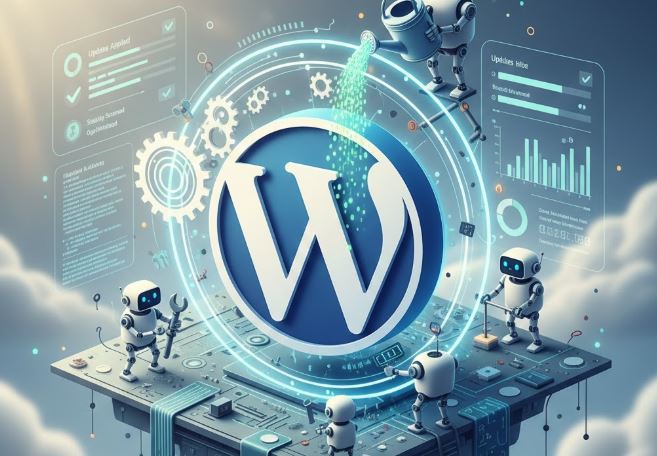
Operating a WordPress site is not a single event. A car requires frequent maintenance in order to move properly, and so does a WordPress site, which requires constant checking to remain quick, safe, and stable. Most of the site owners are very much concentrated with the design and content without trying much on the maintenance until something malfunctions. That is when such troubles as slow loading, security problems, or even site outage arise.
With help of this detailed guide we will separate maintenance needs in WordPress and make them simple and easy to understand. Regardless of whether you are operating your personal blog, a business web or a nonprofit web, this article will guide you on what to uphold, why it is necessary and how frequently you have to do it. WordPress management has also been facilitated with tools and services such as Wp-1click but it is always necessary to know the fundamentals when running any particular site.
What Is WordPress Maintenance?
WordPress maintenance is a collection of routine operations that ensures that your site is up-to-date, safe, optimized and operating correctly. These activities will make sure that your site is still well-operating with the new technologies, it is not subjected to the threats, and visitors have a good experience.
Large websites are not the only ones that need maintenance. Regular maintenance is very helpful even in small blogs and portfolio sites. Lack of maintenance can result in features being broken, security vulnerabilities, and low search engines.
Why WordPress Maintenance Is Important
Many people assume WordPress “just works” after setup. While it is user-friendly, it still relies on software components that require attention.
Here’s why maintenance is crucial:
- Security: WordPress sites are common targets for hackers. Regular updates and security checks reduce risks.
- Performance: Over time, databases can become bloated and sites can slow down without optimization.
- Compatibility: Plugins and themes need updates to stay compatible with the latest WordPress version.
- User Experience: Broken links, errors, or slow pages can frustrate visitors and reduce trust.
- SEO Benefits: Search engines favor websites that load fast, are secure, and function properly.
Core WordPress Maintenance Tasks
Understanding the main maintenance areas makes it easier to manage your website effectively.
1. Updating WordPress Core
The WordPress core is the main software that powers your website. Updates often include:
- Security patches
- Bug fixes
- New features
- Performance improvements
Failing to update the core can leave your site exposed to known vulnerabilities. Always back up your site before updating.
2. Plugin and Theme Updates
Plugins and themes add functionality and design to your site, but outdated ones can cause serious problems.
Best practices include:
- Updating plugins and themes regularly
- Removing unused or abandoned plugins
- Checking compatibility before major updates
Too many unnecessary plugins can slow down your site and increase security risks.
3. Website Backups
Backups are your safety net. If something goes wrong—like a hacking attempt or update failure—you can restore your site quickly.
A good backup strategy includes:
- Automatic daily or weekly backups
- Offsite storage (cloud or external servers)
- Testing backups occasionally to ensure they work
4. Security Monitoring and Protection
Security maintenance goes beyond updates. It involves actively monitoring your site for threats.
Common security tasks:
- Installing security plugins
- Scanning for malware
- Enforcing strong passwords
- Limiting login attempts
- Using SSL certificates
Proactive security saves time, money, and stress in the long run.
5. Performance Optimization
A slow website drives visitors away. Performance maintenance keeps your site fast and responsive.
This includes:
- Cleaning unnecessary files
- Optimizing images
- Using caching solutions
- Minimizing scripts and styles
- Checking hosting performance
A faster site improves user satisfaction and search engine rankings.
Content and Editorial Maintenance
WordPress maintenance isn’t only technical—it also includes content-related tasks.
Reviewing and Updating Content
Over time, content can become outdated. Regular reviews help ensure accuracy and relevance.
Tasks include:
- Updating old blog posts
- Fixing broken links
- Refreshing statistics and references
- Improving readability
This is also a good time to review settings like WordPress Writing Settings, which control formatting, default categories, and publishing options, helping you maintain consistency and clarity across all your content.
Managing Media Files
Images and videos can take up a lot of storage if not managed properly.
Maintenance tips:
- Compress large images
- Delete unused media
- Organize files into folders
- Use optimized formats
Well-managed media improves load times and keeps your site organized.
Database Maintenance
Behind the scenes, WordPress stores everything in a database. Over time, this database can become cluttered with unnecessary data.
Why Database Cleanup Matters
Databases can collect:
- Post revisions
- Spam comments
- Trashed items
- Temporary data
Cleaning the database helps:
- Speed up your website
- Reduce server load
- Improve overall stability
Database optimization should be done carefully, preferably with backups in place.
How Often Should You Perform Maintenance?
The frequency of maintenance depends on your website’s size, traffic, and complexity. However, some general guidelines apply to most sites.
Recommended Maintenance Schedule
| Maintenance Task | Recommended Frequency |
| WordPress core updates | As released |
| Plugin and theme updates | Weekly |
| Website backups | Daily or weekly |
| Security scans | Weekly |
| Performance optimization | Monthly |
| Database cleanup | Monthly or quarterly |
| Content review | Quarterly |
| Broken link checks | Monthly |
This table provides a simple overview to help you plan your maintenance routine effectively.
DIY Maintenance vs Professional Services
Many WordPress users handle maintenance themselves, while others prefer managed services.
Doing It Yourself
Pros:
- Cost-effective
- Full control
- Good learning experience
Cons:
- Time-consuming
- Risk of mistakes
- Requires technical knowledge
Using Managed Maintenance Services
Pros:
- Saves time
- Expert handling
- Proactive monitoring
Cons:
- Ongoing cost
- Less hands-on control
Choosing the right approach depends on your skills, budget, and time availability.
Common WordPress Maintenance Mistakes to Avoid
Even with good intentions, some mistakes can cause problems.
Avoid these common errors:
- Skipping backups before updates
- Ignoring update notifications
- Using too many plugins
- Not monitoring security alerts
- Forgetting to test the site after changes
Being mindful of these mistakes can save you from major issues later.
Maintenance for Different Types of WordPress Websites
Not all WordPress sites have the same needs.
Blogs
- Focus on content updates
- Moderate comments
- Optimize images regularly
Business Websites
- Prioritize uptime and security
- Regular performance checks
- Ensure contact forms work properly
eCommerce Websites
- Daily backups
- Frequent security monitoring
- Plugin compatibility testing
Nonprofit and Community Sites
- Keep donation forms secure
- Ensure accessibility standards
- Maintain trust with visitors
Understanding your site type helps you prioritize maintenance tasks effectively.
Final Thoughts
Maintenance of WordPress is not a negotiable issue rather it is a very important aspect of a successful web site. The frequent updates, backups, security inspections, and performance optimization will maintain your site in the state of safety, speed, and convenience. When you adhere to a systematic maintenance schedule, you will be able to avert issues prior to their happening and devote more time to expanding your online presence.
You can either take maintenance in your own hands or use professional services and tools but what matters is a sense of uniformity. A properly managed WordPress site develops credibility, enhances customer experience, and helps in achieving a lasting success. When planning or sustaining a community or faith-based organization web site, you can also find valuable ideas in the Best Church Website Builder in case you are considering what you want to see on the site as a solution.